Chatbot - Web application
Introduction
This blog documents the design and features of the chatbot application, the tech stack being used, and my reflecton after me finishing this very naive testing version.
Tech Stack
I have to admit that I do love vercel and supabase, they do a lot heavy lifting for me, help me changing my idea into a product that looks fine easily.
- Frontend: Next.js
- Database: Supabase
- DNS & AI services: Cloudflare
- Libraries:
- Radix UI: Accessible, unstyled UI component primitives.
- pg: PostgreSQL client library for Node.js.
- Vercel AI Elements(v5): Components for chat, streaming, and LLM interaction UI.
Design
For chatbot, I need a clean interface that allows user to:
- Manage their conversation
- Render bot’s message
- Show the execution result and plot the charts
- Allow user to connect to their database
And also, the web application should have unified and responsive design, smooth animation.
Manage conversation
User can pin/unpin the conversation, move them around the folders, do simple search based on their title
Render bot’s message
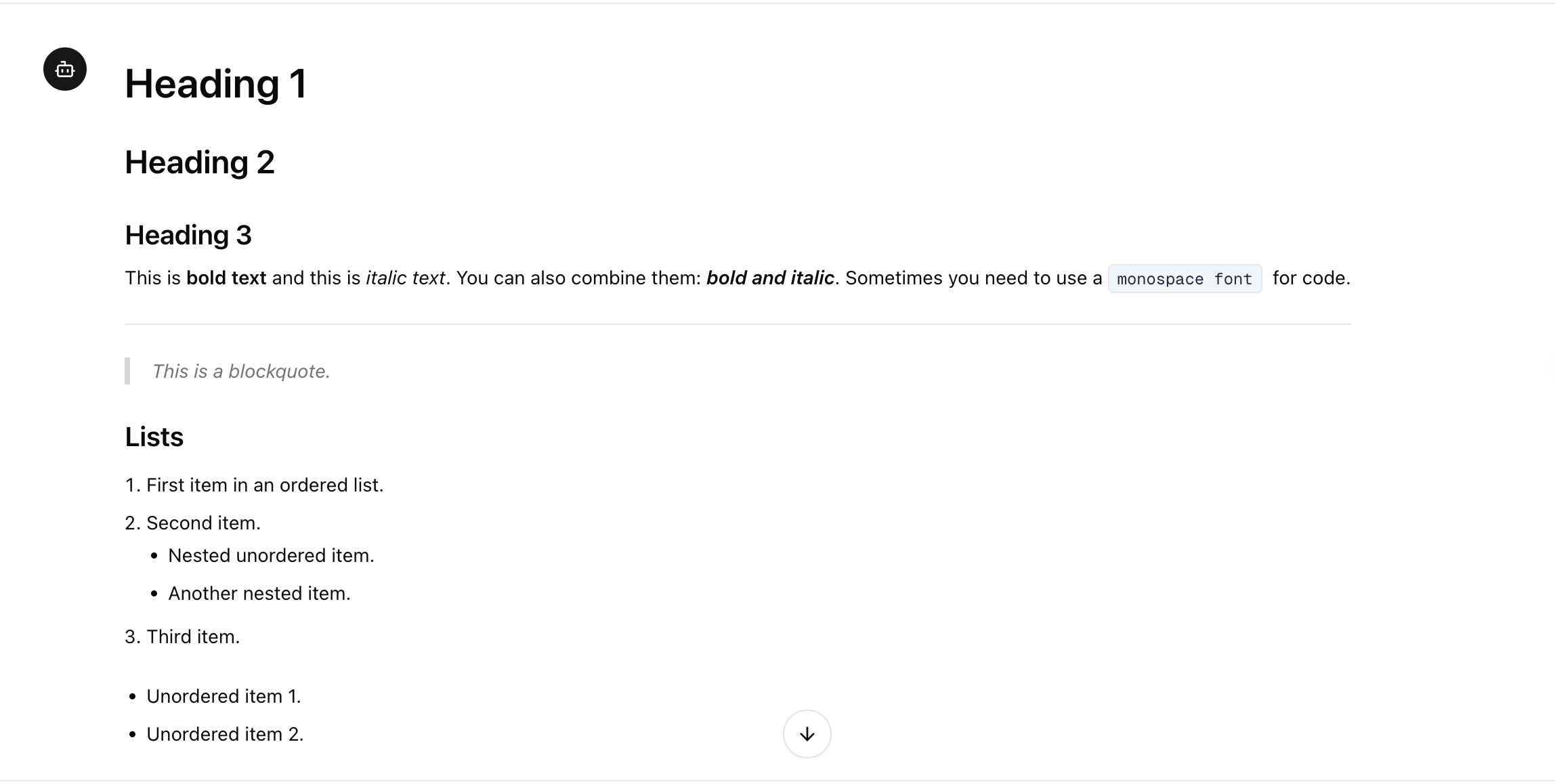
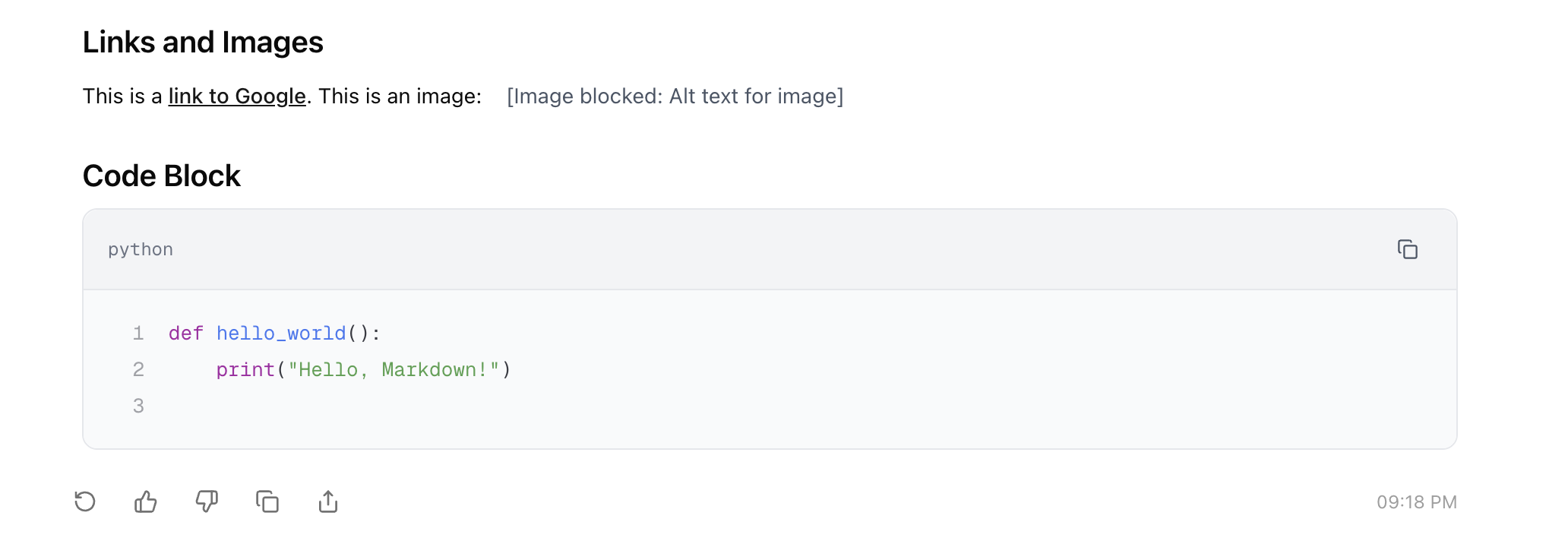
The bot’s message is in markdown format, so we need to render it properly.
Show the execution result
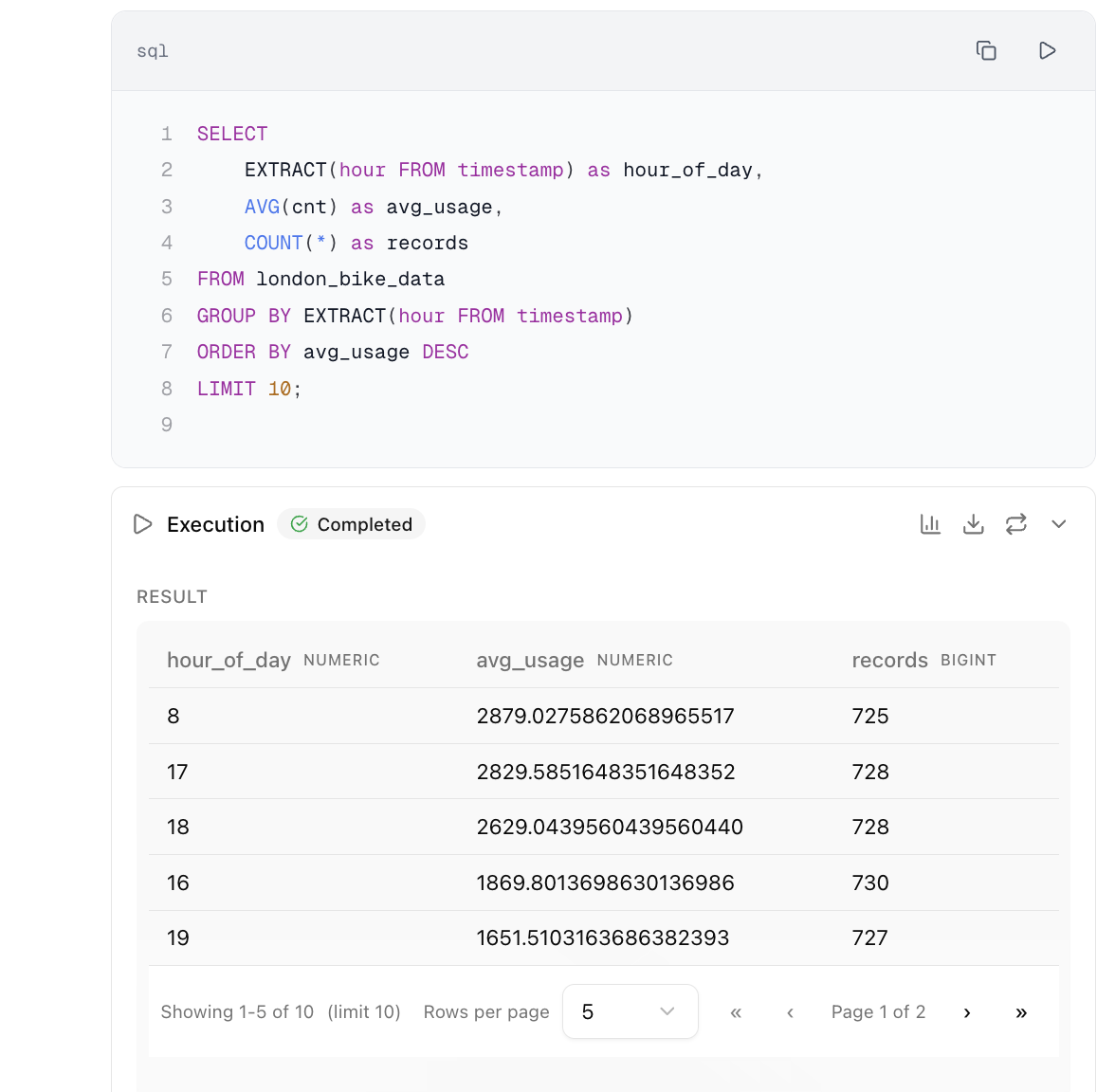
User can execute SQL query that comes from bot’s respond, and preview the data in table format, with pagination and caching machenism, which each execution is cached into local storage with unique hash, when user re-visit the site, the stored result comes straight back.
Plot the chart
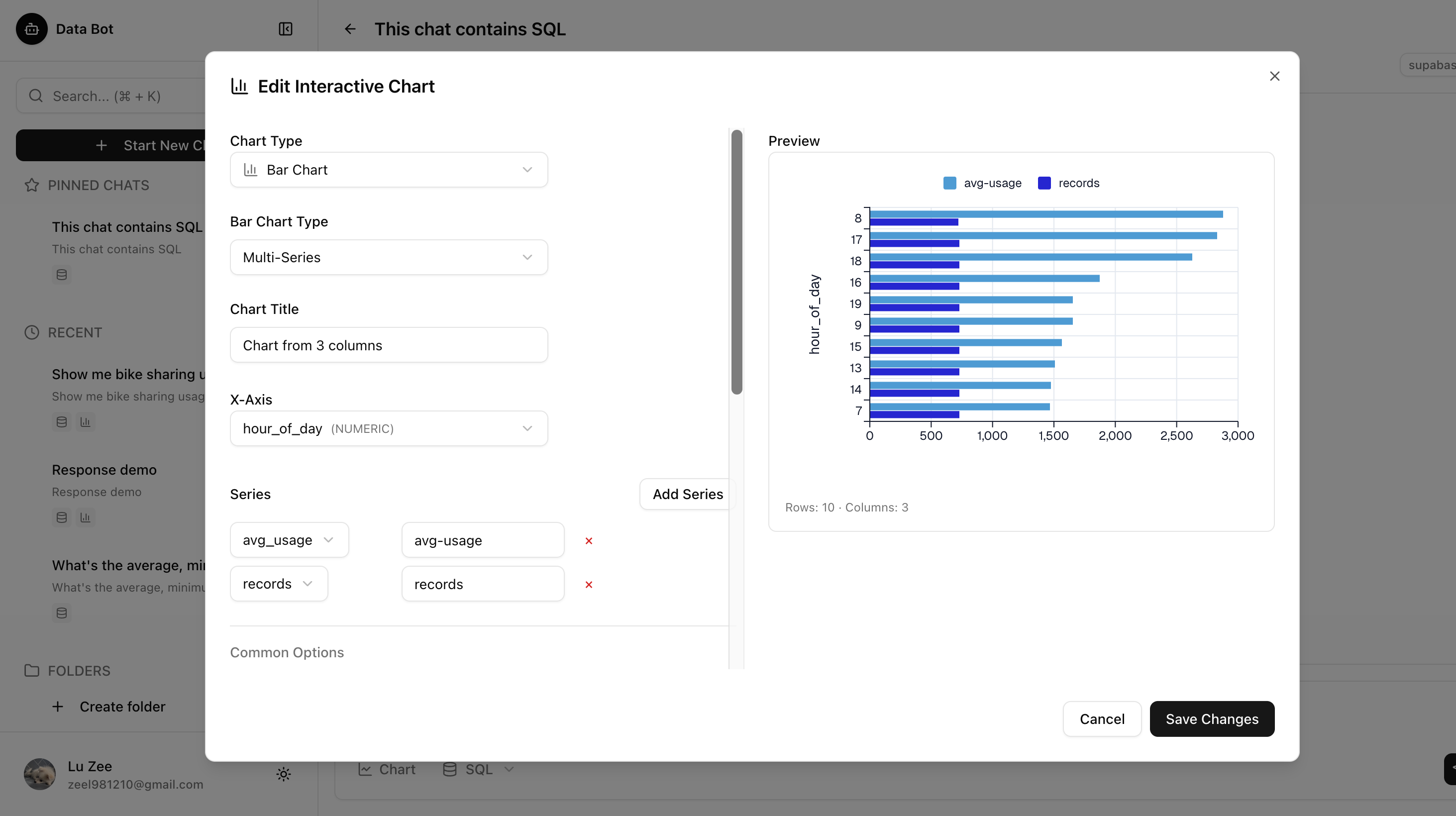
User can create chart using the data from execution result, I implement bar chart and line chart, with full support with over 80% provided parameters, user can customize the chart with provided options
Connect to database
The app allows user to connect to their own database, by using Postgres connection string, which the connection’s credential only store in local, when user login with another device, the record is carried over, but they need to input the credentials again manually.
Once the test connection is established, user can preview the database information in preview section, which will briefly shows the columns and tables exist in the connected database.
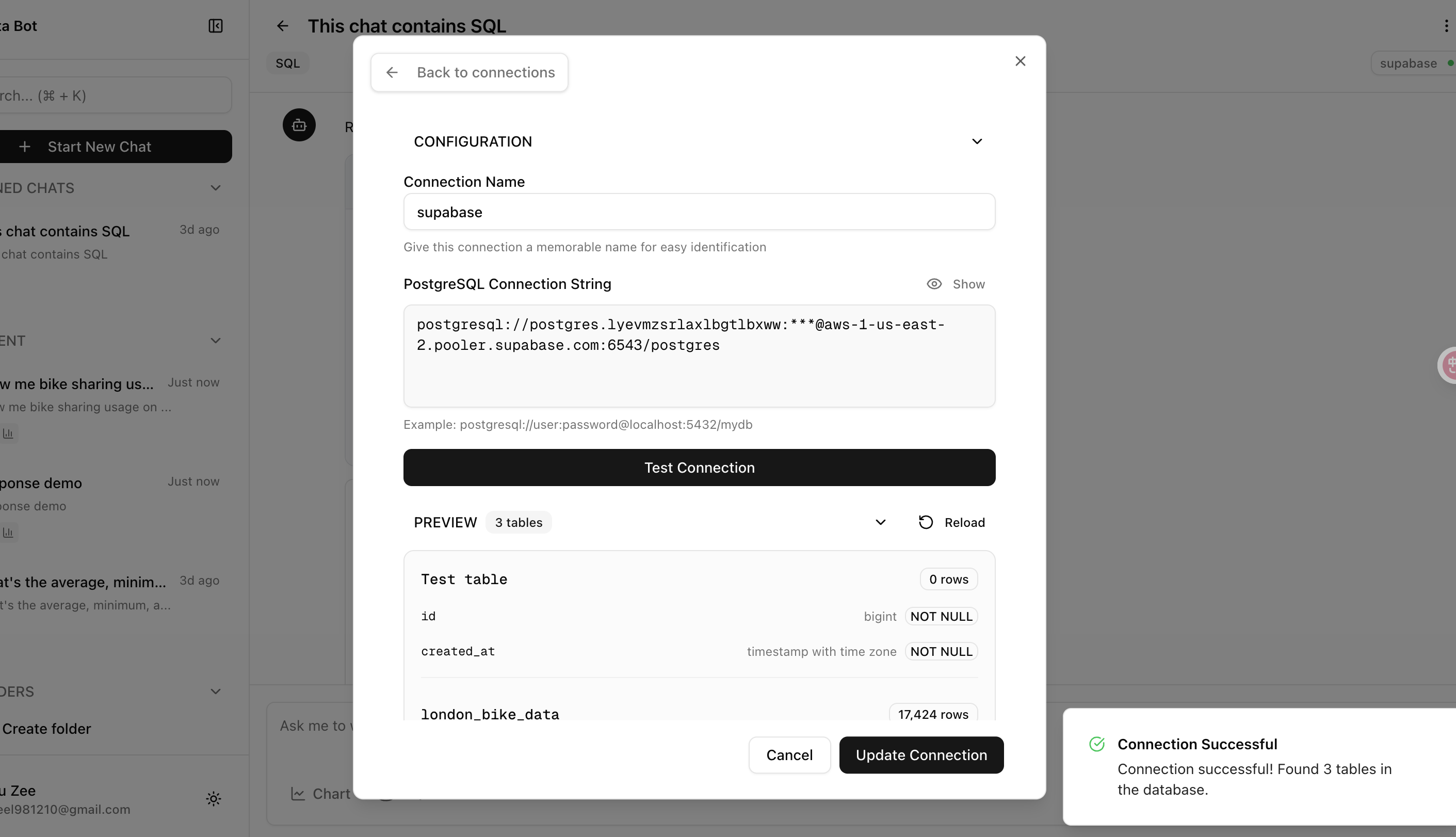
User can also maintain multiple connected databases, which they can swith the connected database at the conversation panel, the dot indicates the connection status, which there’s a process polling in the background to make sure the connection status is always updated.

Responsive design
The app also built with responsive design, that most feature fits the mobile layout.
Reflection
Unfinished tasks
- Allow user to create RAG database
- Allow user to configure their own LLM modal provider
- Support streaming output
- Allow bot respond accordingly based on mode toggle.
Self evaluation
Overall it was a great experience getting hands on designing an application from scratch, although chatbot is a well-trodden topic by now, but I do learn a lot new tools during the development. I also found myself with a lot problems through the entire process.
I tried to keep the commits tiny, single-purposed, so that when I am using LLM to help me coding something that is still new to me, that will help me acknowlege and control most the details. At first 40-ish commits, things works fine, everything is following my plan, I know what exactly I want, I know what AI is building for me, I can line-by-line reading the codes and ask about things that I dont understand, like “why are we using hook for this component”, “do you think decouple these two components is a good idea?”
After all the components are prepared, when I get hands on implementing business logic, details I’m missing starts to cause issues, at beginning, some issues I can identify and fix, but further I go, the fixes cause more issue, and I have to look at the entire codebase again, ask ai to help me refactor the architect being messed up.
It does teach me a lesson again, that I should stick to building what I can currently control and understand. Reaching past that is a quick way to learn things, but it does bring problems, and the problems will eventually cost more effort to fix than building things step by step.
← Back to the journal